
Why Does AI Make Things Up? Usually It Read the Wrong File First
October 23, 2026
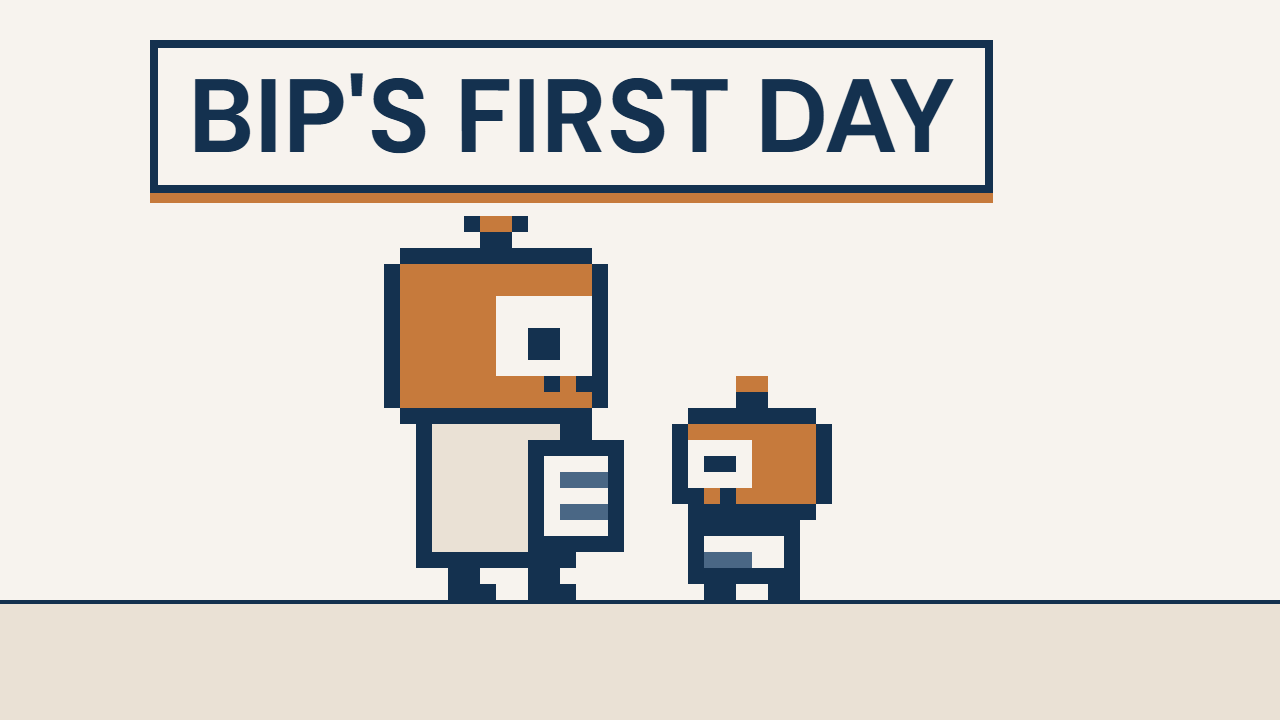
This is the video behind the post, a 1:46 Short. My robot intern says “Confident!” 3 times. He’s wrong twice, and both times he read the wrong file first.
Why does AI make things up? A lot of the time, it isn’t making anything up. It read the wrong thing first, and it was sure about it.
That’s what happens to Bip, my robot intern. He grabs the first answer on his path and hands it in. Confident! But wrong.
The fix isn’t a smarter AI. It’s 2 steps in how you set up your files.
Why does AI make things up? 2 different problems
2 different problems both get called making things up.
The first one is what people mean by AI hallucination. The AI fills a gap with a guess that sounds right. OpenAI’s own researchers found that the way these models are trained and tested rewards a confident guess over “I don’t know” (OpenAI, 2025).
The second one shows up more in a small business. The right answer is in your files. The AI just read something else first.
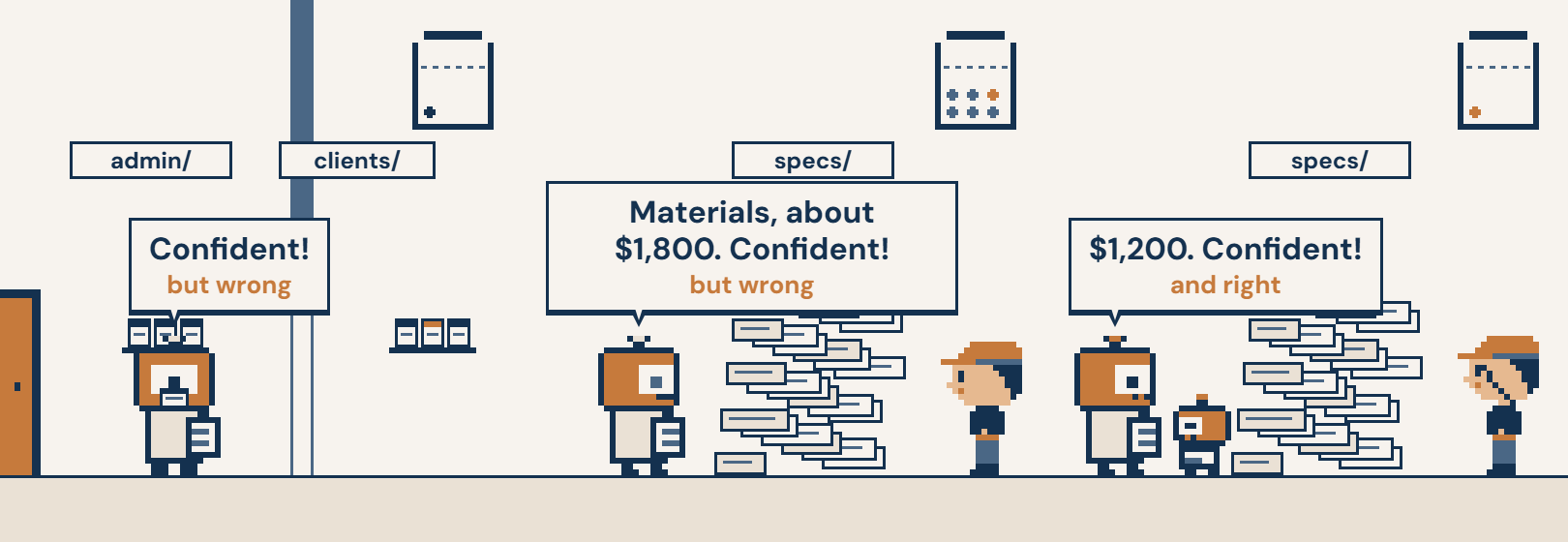
Bip has the second problem. Mrs. Ramirez’s cell number is on her customer card. He found the office phone list first, so he handed in the office line.
What Bip’s files are
Here’s his folder, the same way your AI sees yours.
- admin/ is the office folder. It holds phone-directory.md, the office phone list. It’s the first file on Bip’s path.
- clients/ is the customer folder. ramirez-mrs.md is her card, with her cell number on it.
- specs/ is the paperwork for a repaint job. In the story it’s a pile. The approved materials total is in there, $1,200. So is a rough guess, $1,800.
The .md on the end means a plain text file. It’s the kind of file your AI can open and read.
Bip reads admin/ first, so the office number is the one he grabs. Later he wades into specs/ and grabs the $1,800 guess. Both times he says “Confident!” (0:20 in the video)
Sounding sure is not the same as being right. Your AI sounds sure every time.
Step 1: Put the right file first
In the video, I move her card to the front door. That’s the first place Bip looks. He reads it first and gets her number right. (Step 1)
Your AI works the same way. Whatever it reads first, it trusts. So the file it should trust goes where it starts.
I use Claude Code for this. Claude Code is the AI assistant I work with, and it works right inside my folders. Anthropic makes it, and its own guide says the same thing. Give it the documents. Tell it to answer only from them (Anthropic).
Step 2: Send a bit into the mess
Some folders are a pile and always will be. Job paperwork is like that.
So Bip doesn’t go in. I send in a bit, a small helper robot. The bit reads the whole pile and hands back 1 line: approved materials, $1,200. Bip’s head stays clear. (Step 2)
In my setup, a bit is a second AI with 1 job. “Read the specs folder and give me the approved materials total.” It reads the mess, so the main one doesn’t have to.
This time Bip says “$1,200. Confident!” And he’s right. (1:13)
Why the 2 fixes work: your folders are the instructions
Bip didn’t get smarter between the wrong answers and the right one. His folders changed.
That’s the whole idea behind the folder system I use. Your AI doesn’t learn your business by being told over and over. It learns it by reading your folders, in the order you lay them out. So the way you set up your folders is the instructions.
It’s the difference between training a new hire out loud every week and handing them a binder that already runs the job. Your AI reads the binder every time you start. It reads the pages in order, though, and it trusts the first page that looks like an answer.
When the binder is a mess, the AI still answers. It answers from whatever it found first, and it sounds sure. In a small business, that’s often what making things up really is.
How to set up a folder system so your AI stops making things up
Each step below is a piece of the folder system. Each one says what it would change in Bip’s office.
1. Give it a front door. 1 short page at the top of your folders that your AI loads at the start. It holds no answers. It only says where the answers live. “Customer phone numbers are in clients/. The office line is in admin/.” Mine is a file called CLAUDE.md, because Claude Code loads that page every time it starts.
In Bip’s office: the front door sends him to clients/ for a customer’s number. He never grabs the office line.
2. Name your folders for the work. admin/, clients/, specs/. Use the words you already say out loud. The folder’s name tells the AI what’s inside before it opens a single file.
In Bip’s office: “Find Mrs. Ramirez’s number” and clients/ are the same idea. The name points the way.
3. Put a short note in each folder, named CLAUDE.md. 1 page that says what’s in this folder, what to trust and what to skip. Claude Code loads a folder’s CLAUDE.md when it works in that folder. “1 card per customer. Cell number on the card.” “The approved materials total is on the signed quote. Rough guesses are not approved.” The note is where you also tell your AI it’s allowed to say “I don’t know.” Anthropic’s guide says that permission cuts down wrong answers.
In Bip’s office: the note on clients/ sends him straight to her card. The note in specs/ tells him the $1,800 is a guess before he picks it up.
4. Give every fact 1 home. Her cell number lives on her card, and only there. The office line lives in the phone list, and only there. When a fact lives in 2 places, someday they disagree, and the AI may go with either one. So the second place keeps a pointer, not a copy: “Ramirez: see her card in clients/.”
In Bip’s office: there’s only 1 number that belongs to her, so there’s only 1 number he can bring back.
5. Give the messy folders a helper with 1 job. Some folders stay a pile. So a helper reads just that folder and hands back just the line you need. Your main AI only ever sees the answer, never the pile. That’s the bit in the video.
In Bip’s office: Bit reads specs/. Bip gets 1 line: approved materials, $1,200.
6. Check the path. Every answer comes from files you can open. When an answer is wrong, ask what it read. Then fix the wrong fact, or the note that wasn’t clear. These pages guide your AI. They don’t lock it, and that’s why this step is here.
In Bip’s office: the first wrong number shows you the problem right away. The office line was first on his path.
The 2 steps in the first video are steps 1 and 5 in action. Steps 2, 3, 4 and 6 are what keep them working after the video ends.
The second video shows all 6, in order. Bip does the same job twice, and the second time you watch each step as a stop on his path: Why Bip Got It Wrong.
It’s the same idea behind how I set up a small business system. And it’s the bridle from my post on how to come up with video ideas. The power is in the AI. The direction comes from your folders.
The method has a name. It’s called Interpretable Context Methodology, ICM for short, made by Jake Van Clief and David McDermott. You can read their paper. I just call it the folder system.
The 4 files your AI receptionist needs before it picks up the phone
Bip has the second problem in the first 2 videos. In the third one, he has the first.
The owner is up a ladder. His phone buzzes. He can’t get to it. By the time he calls back, they’ve booked someone else.
So he does the smart thing. AI can answer the phone now. He sets it up himself, and Bip takes the calls.
He skips 1 part. The folder. Bip’s receptionist folder is empty.
The phone rings. The caller asks 4 things. Do you do bathroom re-tile? Can you match my old tile? What’s your deposit? How soon can you start?
Bip answers anyway. “We do everything!” “Exact match!” “50% up front.” “Monday!” Every answer is a guess, and every guess sounds sure.
The caller hangs up 40 seconds in. The job is gone. (Watch Bip lose it)
Nothing was in the wrong place this time. There was nothing there at all. That’s the gap the OpenAI researchers describe. The AI fills it with a confident guess.
The fix isn’t a better AI. It’s 4 files in 1 folder, set up before the AI answers anyone. If an AI tool answers your phone, these go in the instructions box in its settings. If you use Claude, Anthropic’s AI assistant, put them in a Project. A Project holds the notes Claude reads at the start of every chat.
Copy this and fill in your own:
receptionist/
  the-business.md   What we do. What we don't. Where we work.
  prices.md         Deposit: [your deposit] to book.
  calendar.md       How soon we start: about [your lead time] out.
  get-a-person.md   Not in here? Don't guess. Take a message for the owner.
Why each file is there:
- The business. Bip says yes to your jobs, and no to the ones you don’t do. And no to a town you don’t drive to.
- Prices. Bip quotes your deposit, not a number that sounds normal.
- Calendar. Bip promises a date you can keep.
- When to get you. The rule against guessing. Anything that isn’t in the folder gets a message for you, not a made-up answer.
Each fact lives in 1 file, the same rule as the folder setup above. When your deposit changes, you change 1 line in 1 file.
In the video, the next caller asks the same things. Bip reads the folder. Re-tile, yes. 10% to book. About 3 weeks out. She asks to book, and asks about matching her old tile. That isn’t in the folder, so Bip doesn’t guess. He takes a message for the owner. The job books.
The money in the video is made up. The move isn’t.
The 4 files are the start. A full AI receptionist needs a few more: who she is, what a good call does, and how you test her before she takes a real call. I’m building that setup in my Skool community, See It, Build It, Own It.
Play it yourself
Bip comes from Robo-Intern, a small game I built where you set up the folders and Bip does the job. Play it here. The longer version of the story is Bip’s First Day.
I teach this step by step in my Skool community. Skool is where my community lives. It’s called See It, Build It, Own It.
Open your AI’s folder tonight and look at what it reads first.
I’m in Your Corner. Now, Go Own It.